
Logging
48 kinds of server event, each to a channel you choose. Set it up once and stop wondering what happened.
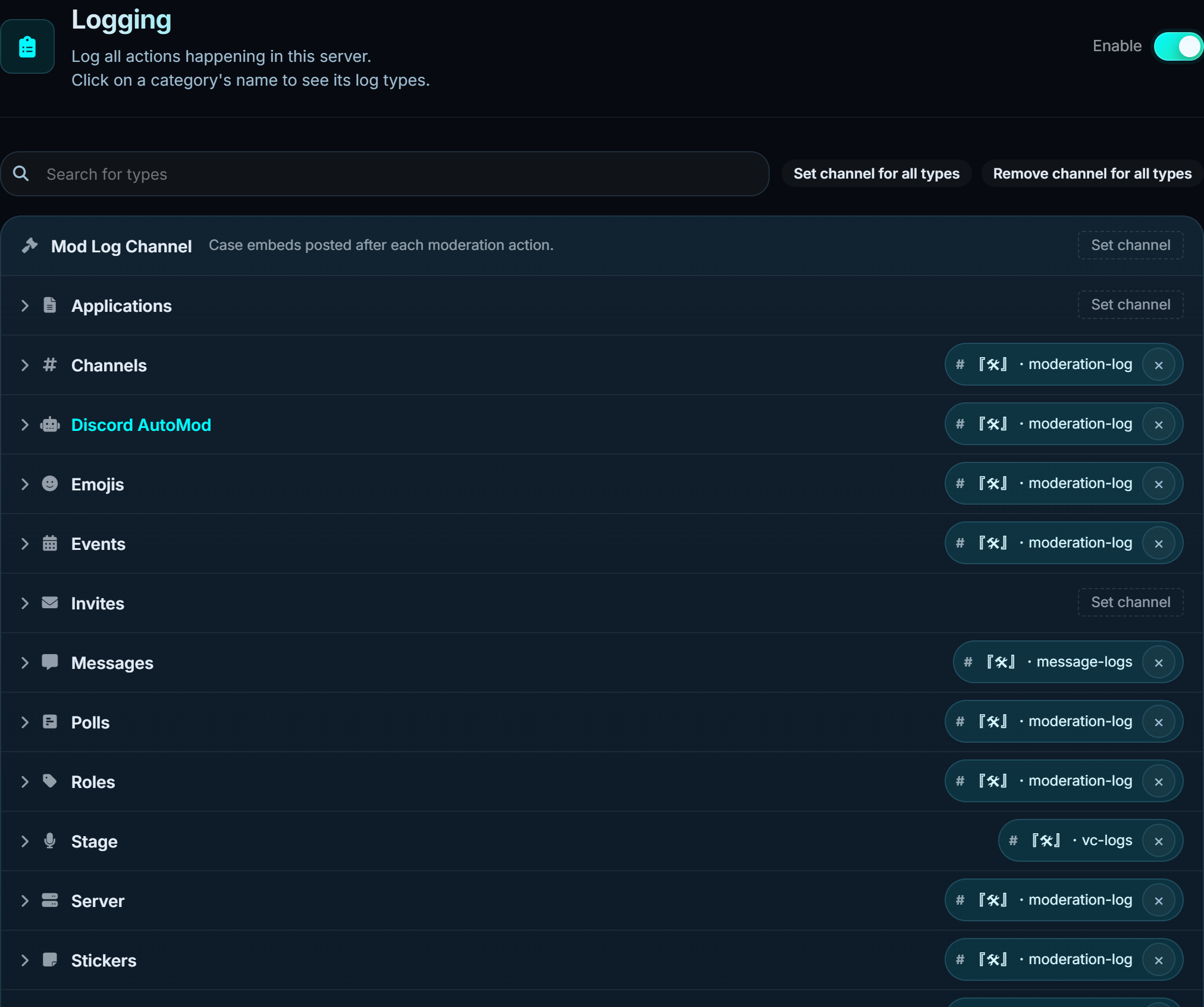
#Set up channels
Every category has its own channel picker. Set channel for all types points the lot at one channel if you would rather have a single feed, and Remove channel for all types clears them.
Click a category name to open it and set channels per individual event, for when you want message deletes somewhere quieter than message edits.
| Category | Covers |
|---|---|
| Mod log | The case embed after every moderation action |
| Messages | Edits, deletes, bulk deletes, pins |
| Members | Joins, leaves, nickname and avatar changes, roles gained and lost |
| Channels | Created, deleted, renamed, permissions changed, threads |
| Roles | Created, deleted, edited |
| Voice | Joins, leaves, moves, mutes, deafens, stage events |
| Server | Name, icon, boosts, settings |
| Emojis and stickers | Added, removed, renamed |
| Invites | Created, deleted, and which invite a member used |
| Applications | Bots added to the server |
| Events | Scheduled events created, updated, cancelled |
| Polls | Created, voted on, ended |
| Discord AutoMod | Discord's own rules firing |
#Ignore from logs
Channels and roles that never produce a log line. A bot-command channel that would otherwise flood your message log is the usual case.
Ignores are checked before the log is built, so an ignored channel costs nothing.
#Threads and forums
Thread events log under Channels. A busy forum can generate a lot of them, so it is worth either ignoring the forum channel or pointing thread events somewhere separate.
#What logging does not do
Logging never changes behaviour. Turning a category off only stops the message being posted. Moderation actions still create cases, automod still acts, and role persistence still works.
Point the error log in General settings somewhere staff will see. It is where the bot reports its own failures, and a missing permission shows up there instead of silently doing nothing.