
Music
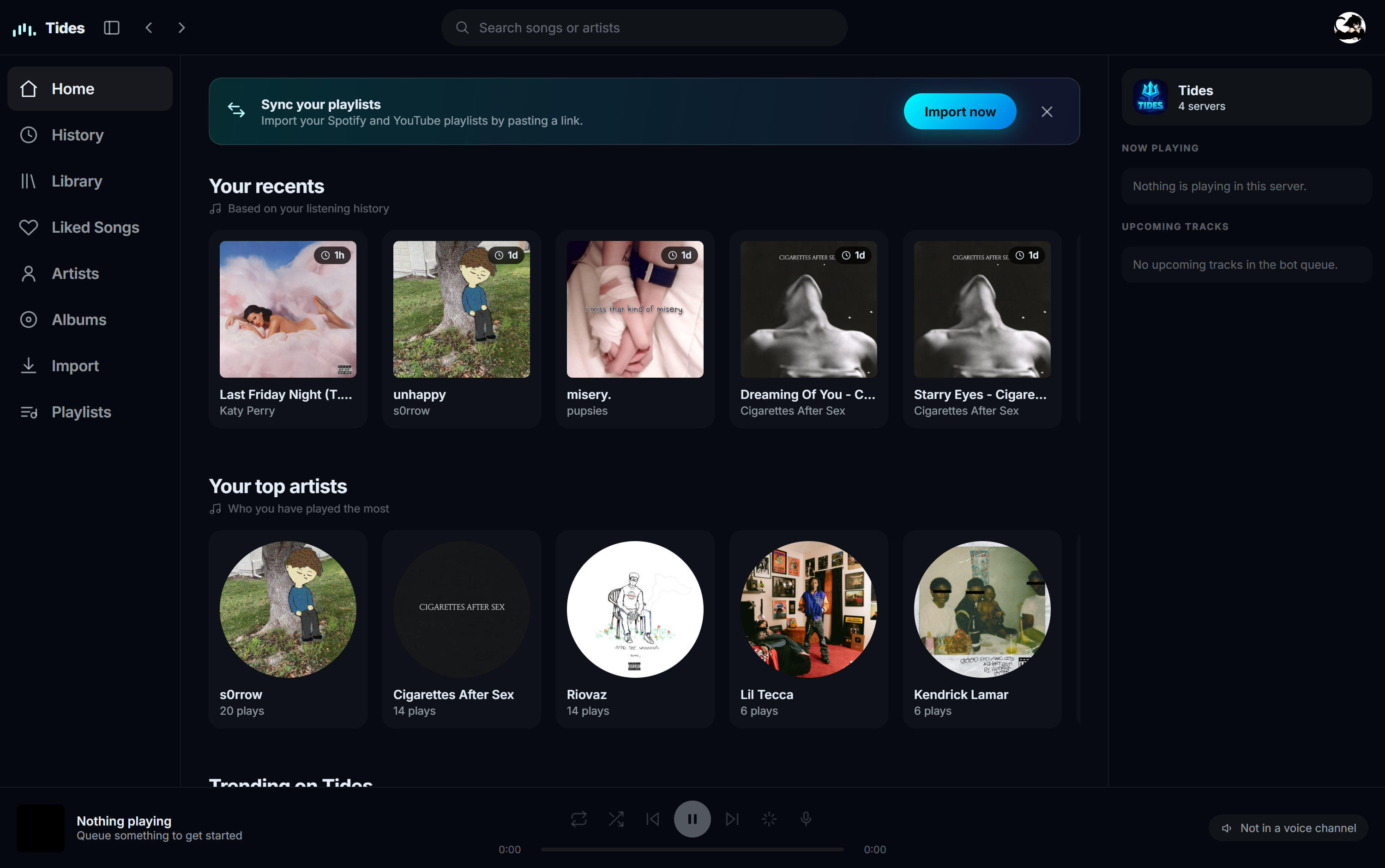
A full player with a queue, effects and autoplay, driven from Discord or from music.tides.cx.
#Playing something
t!play takes a search, a YouTube link, a Spotify link or a SoundCloud link. A Spotify
album or playlist queues the lot.
| Command | What it does |
|---|---|
t!play |
Add to the end of the queue |
t!playnext |
Add straight after the current song |
t!playnow |
Skip to it immediately |
#The queue
t!queue draws the queue as a card rather than a wall of text. The current song shows its
progress, then what is coming next. Long queues page rather than getting squashed.
t!choosesong searches the queue and moves a match to play next, which beats counting
positions.
#Ownership
Songs queued by the person who added them can only be removed by them. Staff can remove anything. Songs added by autoplay have no owner, so anyone in the channel can manage them.
That stops one person clearing someone else's queue, without needing a permission for it.
#Autoplay
When the queue runs out, autoplay keeps going with similar songs. It seeds from whatever is currently playing, so the mix moves with the queue instead of anchoring to the first song anyone ever queued.
#The web player
music.tides.cx shows the same queue live. You can search, queue, reorder, skip and control volume from the browser. It is the same player, not a read-only view.
You have to be in the voice channel to control it, exactly as in Discord.
#Commands
| Command | What it does | Also | Who |
|---|---|---|---|
t!play <song or link> |
Play from YouTube, Spotify or SoundCloud | t!p |
Everyone |
t!playnext <song or link> |
Queue a song after the current one | t!pn |
Everyone |
t!playnow <song or link> |
Skip to a song immediately | - | Everyone |
t!skip |
Skip the current song | t!s |
Everyone |
t!stop |
Stop playback and leave the channel | - | Everyone |
t!pause |
Pause playback | - | Everyone |
t!resume |
Resume playback | t!r |
Everyone |
t!queue |
Show what is lined up | t!q |
Everyone |
t!nowplaying |
Show what is playing right now | t!np |
Everyone |
/choosesong |
Move a queued song to play next | t!choosesong t!choose t!pick |
Everyone |
t!remove <position> |
Take a song out of the queue | t!rm |
Everyone |
t!shuffle |
Shuffle the queue | t!sh |
Everyone |
| `t!loop [track | queue | off]` | Loop the track, the queue, or turn it off |
| `t!autoplay [on | off]` | Add similar songs when the queue ends | t!auto |
t!seek <time> |
Jump to a position in the track | t!jump |
Everyone |
t!volume <0-200> |
Set the volume, 0 to 200 | t!vol t!v |
Everyone |