
Moderation
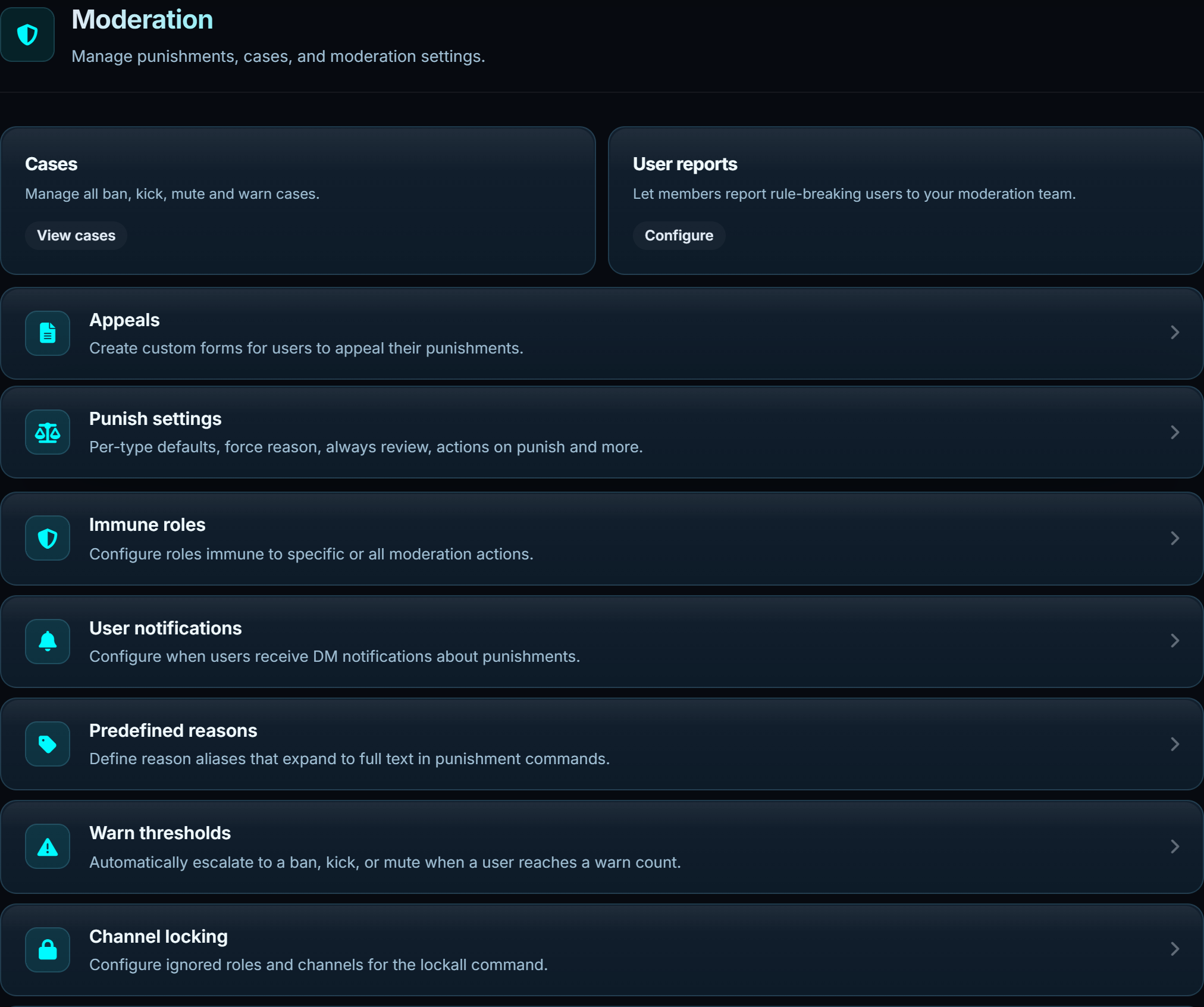
Every moderation action creates a case, DMs the user if you let it, and logs itself. The settings below decide what that looks like.
#Cases
A case is the record of one action: who, what, why, when, by whom, and any proof attached. Bans, kicks, mutes, warns and their undos all create one.
Each case has a short ID. Give that ID to /case view to pull it up, or /unwarn to
remove the warning it recorded.
| Field | Where it comes from |
|---|---|
| Type | The command that created it |
| User | Who it was applied to, kept even if they leave |
| Moderator | Who ran the command |
| Reason | What was typed, or the predefined reason it expanded from |
| Duration | For timed punishments |
| Proof | Attached with /setproof, or captured from a replied-to message |
Reply to a message with t!ban and the replied message is captured as proof
automatically, including the text, the author and any attachments.
/historyshows every case on one user in order. It is the fastest way to answer "have we dealt with this person before".
#Editing a case
/reason changes the reason on an existing case. /caseupdate changes the reason or the
duration. Both keep the original, so the case shows it was edited rather than quietly
rewriting history.
#Punish settings
The defaults that apply to every action.
| Setting | What it does |
|---|---|
| DM on punish | Tell the user what happened and why |
| DM on unpunish | Tell them when it is lifted |
| Force reason | Refuse the command if no reason was given |
| Use role hierarchy | Only let staff act on people below them |
| Allow multiple mutes | Whether a second mute on a muted user is allowed |
| Extend timeouts | A new mute extends the existing one instead of replacing it |
| Confirm on recent case | Ask before punishing someone who was just punished |
| Cache deleted messages | Keep deleted messages so proof survives |
| Purge pinned messages | Whether /purge will delete pinned messages |
Purge pinned messages is off by default on purpose. Pins are usually pinned for a reason and a bulk delete that takes them is hard to undo.
#Immune roles
Roles that moderation cannot touch. Set globally, or per action, so staff can be immune to bans while still being muteable.
Immunity is checked before anything happens, so an immune user is refused rather than half-punished.
#Role hierarchy
With Use role hierarchy on, a moderator can only act on members below them in the role list. This stops staff from punishing each other sideways, and it is enforced separately from Discord's own hierarchy check on the bot.
#User notifications
What the user is told, and how much of it. Under Privacy:
| Setting | Effect |
|---|---|
| Show proof | Whether the attached proof goes in the DM |
| Show author | Whether the moderator's name goes in the DM |
Turning the author off is the common one. It keeps individual staff out of an argument with a banned user.
The DM itself is a template. Rewrite it under Messages, and put your appeal link in it. That stops most "I was banned unfairly" DMs to staff before they start.
#Predefined reasons
An alias that expands to full wording. Set raid to mean Participating in a coordinated
raid on this server, and t!ban @user raid records the whole sentence.
They keep reasons consistent between staff, and they make the DM read like it was written rather than typed in a hurry.
#Warn thresholds
Escalation on a warn count. Three warns becomes a mute, five becomes a ban. You choose the count, the action and the duration.
Thresholds are checked after each warn, and the escalation creates its own case, so the record shows both the warn and what it triggered.
#Channel locking
/lock denies Send Messages for @everyone in the current channel. /lockall does it
across the server.
| Setting | What it does |
|---|---|
| Ignored roles | Roles that keep talking through a lock |
| Channels to lock | Which channels /lockall includes |
Leaving Channels to lock empty means every text channel the bot can see. Set it if you want a staff channel to stay open during a raid.
#User reports
Members report a rule-breaking user to a channel your staff watches. Reports arrive with the reported user, the reporter, the reason and any linked message.
/report-blacklist blocks someone from reporting, for when the feature itself is being
misused.
#Commands
| Command | What it does | Also | Who |
|---|---|---|---|
/ban <user> [reason] |
Ban a user from the server | t!ban |
Staff |
/unban <user> [reason] |
Unban a user | t!unban |
Staff |
/kick <user> [reason] |
Kick a user from the server | t!kick |
Staff |
/mute <user> <duration> |
Timeout (mute) a user | t!mute |
Staff |
/unmute <user> [reason] |
Remove timeout from a user | t!unmute |
Staff |
/warn <user> <reason> |
Warn a user | t!warn |
Staff |
/unwarn <case id> |
Remove a warning by case ID or user | t!unwarn |
Staff |
/purge <amount> [user] |
Delete messages from a channel | t!purge |
Staff |
/timeban <user> <duration> |
Ban accounts created in a time window | - | Staff |
/timemute <user> <duration> |
Mute accounts created in a time window | - | Staff |
/timewarn <user> <duration> |
Warn accounts created in a time window | - | Staff |
/timekick <user> <duration> |
Kick accounts created in a time window | - | Staff |
/softban <user> [reason] |
Ban and unban to clear their messages | - | Staff |
/restrict <user> [duration] |
Jail a user and strip their roles | t!restrict |
Staff |
/unrestrict <user> |
Lift a restrict and restore roles | t!unrestrict |
Staff |
/lock |
Lock the current channel | t!lock |
Staff |
/unlock |
Unlock the current channel | t!unlock |
Staff |
/lockall |
Lock all text channels in the server | - | Staff |
/unlockall |
Unlock all text channels in the server | - | Staff |
/slowmode <seconds> |
Set slowmode in this channel | t!slowmode |
Staff |
/case |
View moderation cases | t!case |
Staff |
t!cases <user> |
List every case on a user | - | Staff |
/history |
View a user's full moderation history | - | Staff |
/reason |
Edit the reason on a case | - | Staff |
/caseupdate |
Change a case reason or duration | - | Staff |
/setproof |
Attach proof to a moderation case | - | Staff |
/note |
Add a private staff note | - | Staff |
/usernotes |
View notes on a user | - | Staff |
/massban |
Ban multiple users at once | - | Staff |
/masskick |
Kick multiple users at once | - | Staff |
/massmute |
Mute several users at once | - | Staff |
/masswarn |
Warn multiple users at once | - | Staff |
/nameban |
Ban usernames matching a pattern | - | Staff |
/namekick |
Kick usernames matching a pattern | - | Staff |
/namemute |
Mute usernames matching a pattern | - | Staff |
/namewarn |
Warn usernames matching a pattern | - | Staff |
/report |
Report a user to moderators | - | Everyone |
/report-blacklist |
Block a user from reporting | show add remove |
Staff |
/reply-to-appeal |
Reply to an open appeal | - | Staff |